
September 10, 2024

Buy Domain Names

written by

Joe Uddeme

Joe Uddeme

Buy Domain Names

Buying domain names – premium or high-value ones in particular – is a process. In this guide, NameExperts.com Director Joe Uddeme helps you navigate all the steps.


Want to buy domain names? You’re not alone! Millions are bought and sold every year.

When you know how buying domain names works, a potentially overwhelming process becomes a whole lot simpler – although certain complexities enter the equation when you are choosing a seemingly unavailable premium domain name that is owned by someone else.

However, the principles of domain buying are reasonably straightforward. This article will guide you through picking a great name, finding out if it’s available, and registering it. Let’s get started on setting up your online presence!

Key Takeaways

  • Selecting the right domain name is essential for online presence, emphasizing simplicity, relevance, and the inclusion of keywords for better SEO.
  • Using domain search tools, including domain checkers and generators, facilitates finding available and creative domain names efficiently.
  • Securing your domain promptly after availability verification is crucial, and protecting it with privacy measures and SSL certificates enhances security and trust.

Choosing the Perfect Domain Name

AI generated image of a man sat at his computer surrounded by flying notes indicating ideas during the ideation process for coming up with a domain name

Choosing the right domain name is crucial for your online presence. It should reflect your brand’s essence, enhance recognition, and be memorable, unique, and indicative of your business’s focus.

Key aspects to consider when selecting a domain name include simplicity, relevance, and geographical appropriateness.

Keep It Short and Simple

Short and simple domain names are easier to remember and use. Ideally, they should be concise and easily pronounced, preferably under three words long. For instance, “example.com” is easier to remember and type than longer alternatives.

Avoid hyphens, numbers, or unconventional spellings as these can confuse users and reduce memorability. Straightforward domain names are user-friendly and stand out in a crowded online space.

Include Keywords and Brand Name

Adding relevant keywords to your domain name can boost SEO and make your site more discoverable. For example, a bakery could benefit from including “bakery” in its domain name.

Including your brand name within the domain fosters recognition and drives traffic, reflecting the core of your business and solidifying your online presence.

Consider Local TLDs

Local top-level domain (TLDs) like .ca for Canada or .co.uk for the United Kingdom can be advantageous for businesses targeting specific geographic audiences. These extensions enhance perceived credibility and align with local search behaviors.

Some local TLDs have specific registration requirements. If you already have a domain registered elsewhere, you can connect it to your site. Securing multiple similar domains (e.g., .com, .net) can protect your brand from competitors.

Using a Domain Search Tool

Checking the availability of your desired domain name is crucial. A domain finder and domain search tools help find available names and suggest alternatives if your preferred website domain name search is taken.

Using a domain search tool helps you act quickly to secure your desired domain name before someone else does.

Domain Checker Tool

A domain checker tool is essential for quickly determining the availability of your desired domain name across various TLDs and extensions, providing real-time results to help you secure the perfect domain.

Incorporating relevant keywords into your domain name can boost SEO, enhancing site visibility. Domain checker tools streamline the process, making it easy to check availability and avoid trademark conflicts.

Generate Domain Name Ideas

If your preferred domain name is unavailable, domain name generators can help you find creative alternatives that reflect your brand’s identity. These tools often use AI to generate unique domain names based on your input.

Domain name generators can save time and provide inspiration, especially when you’re stuck. By exploring different combinations and extensions, you can find a unique domain name that suits your business.

Registering Your Domain Name
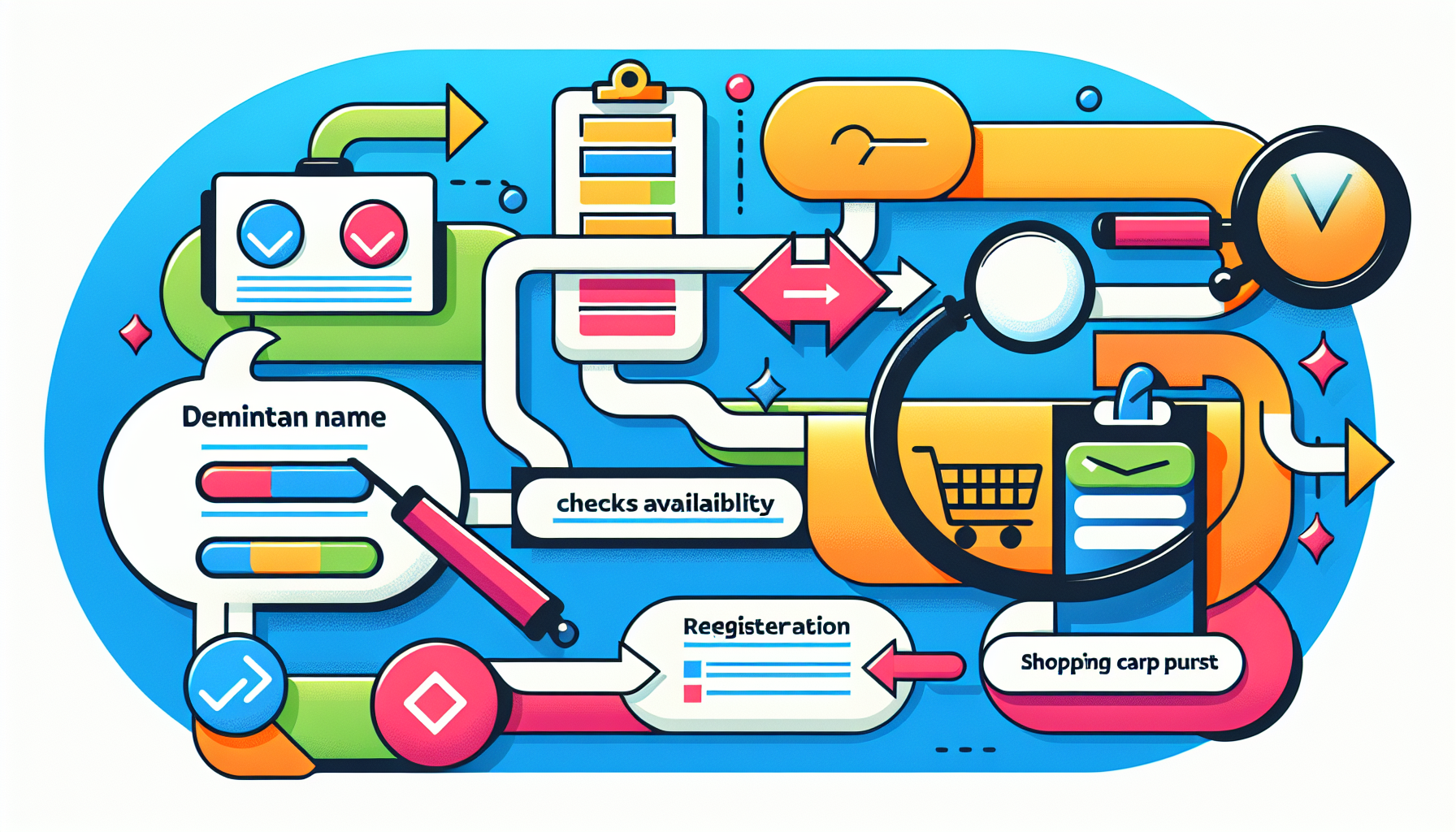
After finding the perfect domain name, the next step is domain name registration with a domain registrar. This ensures you own the unique address for your website, preventing others from using it.

The process involves checking availability, securing the domain quickly, and understanding the various domain extensions.

Check Domain Availability

Before registering a domain, check its availability. Squarespace’s domain search tool performs this check efficiently, providing real-time availability results across various TLDs and extensions.

Ensure the domain name is free from trademark conflicts to avoid legal issues, securing a unique and legally compliant web address.

Secure Your Domain Quickly

Act quickly to secure your domain name, as desirable names can be registered by others almost instantaneously. Use the domain search tool to act fast and prevent competitors from taking your ideal domain.

If your preferred domain name is unavailable, use a domain name generator to quickly come up with unique alternatives. This ensures you can secure a great domain name without delays.

Understanding Domain Extensions

Choose the right domain extension to target your audience effectively. If the .com version is taken, consider country-specific extensions like .co.uk or .us to reach local markets.

Squarespace’s domain checker tool helps you explore various domain extensions, ensuring you find the perfect fit for your business. New TLDs often have a higher likelihood of availability for desirable domain names.

Free Domain Registration Options

Ai generated Image showing the top of a human head in a very colourful fashion with lots of spiky ideas rising from it

Securing a domain name doesn’t always have to come with a cost. Some services offer free domain registration, beneficial for startups and small businesses looking to establish an online presence without breaking the bank.

Free Domain with Hosting Packages

Many web hosting services offer free domain registration for the first year when you sign up for their hosting packages. For example, Wix provides a one-year free domain voucher with its Premium plans, combining hosting and domain registration seamlessly.

Choosing hosting packages that include free domain registration can be a cost-effective way to get your business online while securing a great domain at a great price.

Redeem Domain Vouchers

Domain vouchers often come with premium service subscriptions, allowing you to register a domain at no additional cost. Check if your subscription includes a domain voucher by logging into your account and reviewing your benefits.

To redeem a domain voucher, navigate to the domain registration section of the provider’s site and enter the voucher code during checkout. Be mindful of expiration dates and follow the specific instructions for a smooth redemption process.

Privacy and Security for Your Domain

AI generated image showing the cyber security shield logo surrounded by a whirl of colourful shapes to denote security when managing a domain name

Protecting your domain’s privacy and security is crucial. Measures like WHOIS privacy protection and SSL certificates safeguard your online identity and build trust with your audience, preventing unauthorized access and ensuring data integrity.

WHOIS Privacy Protection

WHOIS privacy protection keeps your personal information confidential by shielding your contact details from public access, reducing the risk of spam and identity theft. Squarespace and other providers offer free WHOIS privacy for eligible domains, automatically protecting your data.

Using WHOIS privacy protection enhances online security and protects your personal information from exposure. Anonymity when purchasing a domain name is very important for some buyers.

SSL Certificates

SSL certificates secure data transferred between your website and its visitors by encrypting it, ensuring privacy and protection from unauthorized access. Squarespace provides free SSL/TLS certificates from Let’s Encrypt, making it easy to secure your domain.

Implementing SSL certificates protects your data and enhances your website’s trustworthiness, fostering user confidence.

Transferring an Existing Domain

If you already own a domain but want to switch providers, transferring your domain is straightforward.

Transferring consolidates your domain management and often comes with added benefits like support and potential savings.

Easy Transfer Steps

Transferring a domain can be done in a few clicks. Many providers support the transfer of up to 50 domains at once, simplifying the management of large portfolios and ensuring efficient transfers without hassle.

Retaining Registration Time

A key benefit of transferring a domain is that the remaining registration time is preserved, meaning you won’t lose any time you’ve already paid for, and it will be added to the new registration period.

Understanding this process ensures continuity and avoids interruptions in your domain management.

Benefits of Professional Email Addresses

Linking a professional email address to your domain enhances your business’s credibility and communication, portraying a professional image and building trust with clients, which is vital for successful business relationships.

Building Trust with Clients

A professional email address establishes a professional image and fosters trust with clients, setting the tone for business communications and reinforcing your brand’s credibility. Trust is fundamental in building long-term client relationships and maintaining a solid reputation.

Integration with Google Workspace

Integrating your professional email with Google Workspace offers enhanced credibility and seamless communication. Google Workspace provides a robust email solution with up to 100 email forwarding addresses, ensuring effective communication management.

Summary

In conclusion, securing the perfect domain name is a critical step in establishing your online presence. From choosing a memorable and effective domain name to understanding the importance of privacy and security, this guide has covered all essential aspects. By following these steps, you’ll be well-equipped to find, register, and protect your domain, ultimately enhancing your brand’s online identity.

Frequently Asked Questions

How do I check if my desired domain name is available?

To check if your desired domain name is available, utilize a domain checker tool from platforms such as Squarespace; simply enter the name and receive immediate availability results. This straightforward process ensures you can quickly determine if your preferred domain is free. A near-infinite number of domain names are still available; it’s the desirable ones that are harder to secure – which is where domain brokers come in.

What should I do if my preferred domain name is already taken?

If your preferred domain name is already taken, explore a domain name generator for creative alternatives or consider using different extensions and slight variations of your original choice. This approach can help you find an appealing and available domain.

Can I transfer my existing domain to another provider?

Yes, you can transfer your existing domain to another provider, and the process is typically straightforward, often requiring just a few clicks. Most providers also support transferring multiple domains simultaneously for easier management.

Why is WHOIS privacy protection important?

WHOIS privacy protection is important as it safeguards your personal information, minimizing the risk of spam and identity theft. Utilizing this service helps maintain your confidentiality online.

How does integrating with Google Workspace benefit my business?

Integrating with Google Workspace enhances your business’s credibility and communication through a professional email solution, providing effective management with features like up to 100 email forwarding addresses. This integration ultimately streamlines your operations and improves collaboration.


About the author

Joe Uddeme is Director and Principal of NameExperts.com, one of the world’s leading domain name brokerage services. He has overseen domain name sales and acquisitions totaling more than $150 million and is renowned worldwide as a go-to expert in buying and selling premium domains. Contact us at: [email protected]

Subscribe for More Domain Buying & Selling Advice

Related posts

Close up of a man in white shirt at a laptop (only arms seen), as if he is searching for info about domain names
What Is A Domain Name and Why Do I Need One?

Domain names are one of the foundations of every global brand – they’re your calling card online. In this post, domain name expert Joe Uddeme explains how they work and how to secure the right one for your business.   You probably know more domain names than phone numbers these days. Think of all the news sites you know the address of – plus Amazon, Apple and all those big brands whose website URLs you can guess because nine times out of ten, it is their brand name + .com. While the world of domain names is easy and familiar at face value, behind the scenes, there’s a lot more going on. If you’re getting ready to buy a premium domain name – one costing in the thousands that will be memorable and potentially valuable for a business in the long term – you need to have a solid grasp of what you’re getting into. To stop you from confusing domain names with websites or even website hosting services, this post is a great place to start. Key Takeaways What is a domain name How does a domain name work How to choose the right name for your business Securing a name that will keep your business on track   What Is A Domain Name? To put it simply, a domain name is the address of your website. It is the phrase or word that you will type into your URL bar of your browser to find your website. For example, our website is https://nameexperts.com/ You can purchase domain names through a domain registrar, through a hosting provider, or let a domain name broker help you. What is the DNS? You can’t really answer the question, “What is a domain name?” without addressing DNS. Domain names are part of a large network called the Domain Name System (DNS) and it is managed by the Internet Corporation for Assigned Names and Numbers (ICANN). The ICANN is a non-profit organization responsible for management and maintenance of the DNS, as well as regulating domain registrars. How Does the DNS Work? When you type a domain name into your browser, your computer will check if you’ve previously looked at that domain. If not, then your browser will contact the local DNS server to pull it up. Your local DNS server breaks down the domain name into sections. We’ll use our name again as an example. There are three parts to nameexperts.com – www., nameexperts, and .com. The .com is known as a top level domain (TLD) and the local DNS server will search for this section first, and then serves to find all the details of your domain name and send that information back to the browser you’re using. There are obviously a lot more technical steps to it, but that’s the basics of how the DNS works. Let’s talk more about what you really need to know – what types of domain name extensions are available.   Different Types of Domain Name Extensions All domain names are made up of a website name (nameexperts), and a top level domain (.com). Though the extensions can vary, we think it is useful to know the differences between the types of top-level domains available so that when it’s time to choose your domain name, you choose the right one. The two types we are going to talk about today are Generic Top-Level Domains (gTLDs) and Sponsored Top-Level Domains (sTLDs). Generic Top-Level Domains (gTLDs) Normally, the best course of action is to choose a reputable TLD like .com, .net, or .org. But because these are so popular, there are millions of domain names that have been registered to date. So the name you want might be taken (read our post: “How to buy a domain owned by someone else”) – or it may be hard to find a name that works. Here are some of the most generic TLDs: .com (commercial) .info (information) .org (organizational) .net (network) .biz (business) Sponsored Top-Level Domains (rTLDs) In addition to gTLDs, there are also some top level domains that are sponsored by organizations or agencies for very specific and often exclusive use. Here are some examples you’ll recognize: .gov (used by the US government) .edu (used by educational institutions) .int (used by international organizations) .mil (limited to US military entities only) Subdomains We thought we should also mention subdomains. A subdomain is also known as a third level domain and is an extra part of a domain name. They are viewed as separate websites by the search engines, so creating subdomains can help improve your site’s SEO. Specifically, a good time to use a subdomain is for a blog. It might look like https://blog.nameexperts.com.   How To Choose The Right Domain Name Now that we’ve answered what is a domain name, we want to help you choose a strong domain name that accurately reflects your business. Ideally, you want to be easy for your target market to remember and be something that is timeless. Your domain name broker can help you find the perfect domain name and get you started with the process that goes along with it. Begin by doing some research on keywords that are relevant for your business. Whether it’s the name of your business or another keyword that relates to your business and you want to rank for it, this type of domain name will help improve your site’s SEO (search engine optimization). Another tip is to keep your domain short and memorable. You want it to stand out but be easy to remember – try to keep it to three words or less. You also want to make sure you avoid numbers and hyphens. People won’t remember where they go and they might mistype. Which leads us into another tip for choosing your domain name, make sure it is easy to spell. Shy away from words with multiple spelling variations or one that might be difficult to pronounce. Think long term. You want a domain name that supports the growth of your business and will last for years to come. Changing your domain name later can really hurt your business.   Working With A Domain Name Broker – The Easy Solution Getting your domain name right is crucial for your business or organization. It can help define your brand and form a lasting impression on your audience. Do your research, and then if you’re serious about securing a seemingly unavailable name, reach out to a domain broker. We can help you buy and register a name – even if it belongs to someone else. We can also advise on strong alternative names for your business. NameExperts.com has a selection of highly commercial names available for sale at any time. At the time of writing, these included eight.com, proud.com, fate.com and nickel.com.   About the author Joe Uddeme is Director and Principal of Name Experts, one of the world’s leading domain name brokerage services. He has overseen domain name sales and acquisitions totaling more than $150 million and is renowned worldwide as a go-to expert in buying and selling premium domains. Contact us at: [email protected]  

Image looking over a person's shoulder to indicate anonymity when securing a domain name
Domain Privacy and Protection: How and Why to Hide WHOIS Information

If you don’t tread carefully, anyone in the world can find out who bought the web address you just snapped up. Domain name expert Joe Uddeme shares his top tips for staying out of the limelight.   In the rush of excitement that comes with securing a name – especially a desirable, premium domain name you’ve been after – it’s easy to overlook one of the most basic elements of name registration: shielding your identity. Millions of people before you have forgotten to do it – precisely because it is so easy to overlook. Or perhaps you spotted the option to stay anonymous but didn’t quite understand what it meant – or felt it wasn’t worth the cost. Here’s how to stay out of the WHOIS database when buying a domain name – and why you might want to. Key takeaways: Understanding your Domain Privacy options Discover which countries keep your name secret by default The benefits of keeping your information private How to ensure your name stays out of the picture Discover Domain Privacy FAQs   What Is Domain Privacy? Domain privacy is a service domain registrars offer customers to hide their information from the public WHOIS database. Customers pay for privacy from their registrar, which replaces their contact information in the WHOIS database with a forwarding address.   What Does Domain Privacy and Protection Do? It removes a domain owner’s information from the public WHOIS database and preserves their privacy. The WHOIS database is a vast database operated by the Internet Corporation for Assigned Names and Numbers (ICANN). ICANN is the agency that oversees domain names, and every individual or company that buys a domain name must provide their contact information to this agency. ICANN, in turn, lists all contact information in a public database called WHOIS. Anyone can search the WHOIS database to get the contact information of a domain’s owner. Many owners are uncomfortable with their contact information being listed publicly, so they pay their domain registrars for domain privacy and protection. The registrar replaces the customer’s contact information with a forwarding or proxy address on the WHOIS database, so people can’t look up the real contact details.   Do I Need Domain Privacy? You need to pay for privacy protection if you’re uncomfortable with your email address or phone number being posted online. Many spammers and telemarketers scour the WHOIS database for the contact information of domain owners to sell them products. Domain name privacy protection prevents this from happening. People residing within the European Union (EU) don’t need to pay for domain privacy because they get it by default. On 25 May 2018, the EU passed the General Data Protection Regulation (GDPR) ruling. This ruling mandated companies serving EU residents to give customers control over their data. EU customers were granted strict data privacy under this law, so domain registrars began hiding their information from the WHOIS database by default. Many other countries have passed laws similar to GDPR, such as Turkey, South Korea, Argentina, and Brazil. The United Kingdom (UK), a former EU member, also passed a similar law. You may not need to purchase a domain name private registration if you reside in these countries. However, customers in other countries need domain privacy and protection to hide their contact information.   How Important Is Domain Protection? It is important because it lets you hide your contact information from the public view. Without this protection, your personal information will be available to anyone who wishes to find it, and malicious actors may take advantage of this freedom to target you with cyberattacks and domain name scams.   Benefits Of Privacy Protection 1. Protects Personal Information Buying privacy protection when registering a domain removes your personal information from the public eye. People won’t be able to find your contact information by looking up your domain name on the WHOIS database. Instead, they’ll see the contact information of your domain registrar, which they can’t trace back to you. 2. Minimizes and Prevents Spam Spam is the biggest problem on the internet. It refers to any irrelevant and solicited message sent over the internet, usually to advertise products or steal information via phishing. Spammers search every possible medium to harvest emails and phone numbers, including the WHOIS database. Domain protection hides your details from this database so spammers can not target you with unsolicited messages. 3. Anonymity Many people are uncomfortable with their personal information being on the internet for whatever reason. Domain privacy and protection grants you anonymity even when you control many domain names. 4. Prevents Competitive Data Mining Businesses often mine public databases for information about their competitors. For example, if you run a popular blog anonymously, rival blogs may want to discover your identity and research potentially damaging information about you. Domain privacy and protection ensures that competitors can’t trace your identity through your domain name. 5. Prevents Domain Theft Hackers often target owners of valuable domain names with phishing messages to steal their registrar login details. They do this by sending a link to a website that looks exactly like your domain registrar’s page but is actually a different web address. The end game is to log into the owner’s registrar with the stolen details and transfer their domain name to another account. Purchasing domain privacy means that hackers won’t find your contact information in the first place. You can hold onto your valuable domain names without fear of being targeted by sophisticated cybercriminals. (Check out our post about what to do if you lose your domain name). How To Get Domain Privacy And Protection When Buying a Domain Most registrars display the option to add privacy protection to your cart when you choose to buy a domain name. It’s an effective method of upselling because they know many customers want privacy. Look for “hide WHOIS information,” “domain privacy,” “domain protection,” or a similar phrase on the domain registration box and select it. Head to the checkout page and pay for the registration, privacy protection, and any other item you selected. After paying, you’ll automatically have WHOIS protection for your new domain. Add To An Existing Domain You can always buy privacy protection for a domain name you already own. Follow these steps; Log into your domain registrar account. Head to the domain management section. Click on the specific domain name you need privacy for. Open the Security tab, and you’ll likely find a button that prompts you to buy WHOIS protection. Click on the button and proceed to your checkout page to pay. Wait for some time after the payment confirmation for your registrar to update the WHOIS database information. There are dozens of domain registrars, and the steps to add privacy protection to an existing domain are similar to what we explained above for each of them.   FAQs on Domain Privacy Should I add privacy protection when buying and selling domains? Yes, you should add the option to hide domain registration info because it has many benefits. It prevents spam, competitive data mining, and potential domain theft. It also guarantees anonymity on the WHOIS database, which is desirable for privacy-conscious customers. If you are working with multiple domain names, especially high-value ones, an experienced domain consultant can ensure all of this is taken care of on your behalf. How Do You Buy A Domain With Privacy Protection You’ll usually see an option to buy privacy protection on the page where you search for an available domain. Add the privacy protection item to your cart alongside the domain name and pay, and you have successfully acquired privacy protection for your new domain. Is privacy protection available on all domains? It’s available for most domains, but there are some exceptions due to government rules. These include .US., .CA, and .FR, among others. Is there a cost to domain privacy and protection? Most registrars charge between $10 and $20 annually for privacy protection while registering a domain. However, a few offer it for free, e.g., NameCheap.   About the author Joe Uddeme is Director and Principal of Name Experts, one of the world’s leading domain name brokerage services. He has overseen domain name sales and acquisitions totaling more than $150 million and is renowned worldwide as a go-to expert in buying and selling premium domains. Need help? Contact us at: [email protected]

A busy office desk seen from above to illustrate a blog article about top-level domains
Domain Levels: A Comprehensive Guide to Top-Level Domains (TLDs) and Domain Names

The finer details of domain name architecture can be pretty overwhelming to the uninitiated. In this post, domain name expert Joe Uddeme unravels the secrets behind TLDs, second-level domains and more.   In today’s digital landscape, domain names serve as the cornerstone of online identity. They are not just web addresses; they encapsulate your brand, convey professionalism, and influence user trust. Understanding the actual domain is crucial, as it helps in structuring sub-domains effectively without confusing web visitors. One of the most critical aspects of domain names is their structure within the domain name system and their organization in the dns hierarchy, including top-level domains (TLDs) and second-level domain names as well as third-level domain names. This guide will explore the various types of TLDs, their implications for your online presence, and how to choose the right URL for your business when you want to buy a premium domain name.   Key takeaways .com TLDs remain a prized asset Up-and-coming TLDs such as .ai  have a place in the market A strong second-level domain is crucial for the success of your business Discover some tips for registering a domain name that works for you   What Are Top-Level Domains? Understanding TLDs A top-level domain (TLD) is the last segment of a domain name, appearing after the dot. Domain extensions, such as generic top-level domains (gTLDs) and country-code top-level domains (ccTLDs), play a crucial role in website visibility and branding. For example, in the domain name example.com, the TLD is .com. The second-level domain (SLD) is the component of a domain name located directly to the left of the TLD. This becomes essential for creating memorable and relevant domain names that enhance SEO by better describing website content. Third-level domains, or subdomains, exist to the left of second-level domains in a domain hierarchy and help in structuring website content, indicating different sections or language versions of a site. TLDs categorize domain levels and can significantly influence a website’s branding and marketing efforts. The Role of TLDs in the Domain Name System TLDs provide crucial information about the nature of the entity associated with a domain. The Internet Corporation for Assigned Names and Numbers (ICANN) and the Internet Assigned Numbers Authority (IANA) regulate and allocate domain names, ensuring that assigned names adhere to specific regulations and maintain uniqueness within the domain name system for internet infrastructure purposes. They help users understand the purpose of a website, whether it’s commercial, organizational, or country-specific. Choosing the right domain extensions can enhance brand recognition and trust. Types of Top-Level Domains (TLDs) Second-level domain names refer to the target before the dot. Test.com is the second level domain with the keyword match–“test” in this example. Second level domain names can help consumers and individuals remember your brand. Top-level domain names are generally categorized into several groups: .com: Originally designed for commercial entities, it is now the most widely used TLD and is often the first choice for businesses and private agencies. .org: Primarily used by non-profit organizations, this TLD conveys trust and community focus. .net: Initially intended for network providers, it has become a versatile option for various types of websites. .info: Designed for informational sites, this TLD is often used by resource-based websites. Country Code Top-Level Domains (ccTLDs) Country-code top-level domain names are a specific type of domain extension designated for particular countries or regions, emphasizing their implications for search engine optimization and regional, country-specific targeting. Country code TLDs are the only top-level domain not governed by ICANN internet corporation for assigned names, differentiating them from other domain types and underscoring potential legal and usage restrictions based on geographic location. ccTLDs represent specific countries or territories. Examples include: .uk: United Kingdom .ca: Canada .de: Germany .au: Australia .ai: Anguilla .co: Columbia .io: Indian Ocean (British Indian Ocean Territory) .ai: Anguilla – though it has been appropriated by tech and AI companies and is rapidly growing in popularity. It is treated as a generic TLD for search ranking purposes. The .gov domain is a specific top-level domain (TLD) exclusively reserved for the American government and government agencies. There are similar restrictions applying to other domains like .EDU, which is limited to educational institutions in the U.S. Using a ccTLD can enhance local SEO, making your website more appealing to audiences in specific regions. SEO Consideration: If your business serves a local market, opting for a ccTLD can improve your search rankings and visibility within that area.   New Generic Top-Level Domains (New gTLDs) New generic top-level domain names (generic tlds) have emerged to provide more specific options for niche markets. Some examples include: .tech: Ideal for technology companies and startups. .shop: Great for e-commerce businesses. .blog: Perfect for bloggers and content creators. .design: Suitable for design-focused websites. Additional examples of GTLD’s include: .LAW, .GO, .XYZ, .ART, .CLUB are some of the most recognized. These new generic top-level domain names can provide unique branding opportunities but should align closely with your business’s mission and audience and be target generic top-level domains. Ensure they reflect the content and purpose of your site, as this can influence user engage specific for your generic top-level domain. SEO Consideration: While .com domains are the most popular, various gTLDs can also rank well if the site’s content is relevant and high-quality Domains not controlled by DNS System Web3 domains are a new class of domain names designed for the decentralized web, often built on blockchain technology. Unlike traditional domains, which rely on centralized registrars and the DNS (Domain Name System). These are typically tied to the Blockchain system and not associated with standard ip addresses. Web3 domains offer unique features and benefits including, Decentralization, NFT Integration and Smart Contracts. Popular Web3 Domain Providers Ethereum Name Service (ENS) A decentralized naming system built on the Ethereum blockchain, allowing users to register human-readable domain names (e.g., example.eth). Unstoppable Domains Offers blockchain-based domains that can be used for websites, cryptocurrency payments, and decentralized identities. Handshake A decentralized, permission-less naming protocol that enables users to own their top-level domains. The Importance of Choosing the Right TLD Brand Identity and Trust The top-level domain you choose can significantly impact your brand identity. Having your own domain is crucial as it allows you to create subdomains for various purposes and highlights the domain name as a vital element for website navigation and URL formation. A recognizable and trusted top-level domain can boost your credibility among users. For example, a second-level domain keyword-match URL ending in .com is often perceived as more legitimate than lesser-known extensions. SEO Impact While a top-level domain is not a direct ranking factor, they can influence click-through rates and user engagement. Familiar top-level domain names ending in .com or .org can improve trust, leading to higher conversion rates with these domain extensions. Local vs. Global Reach If your business targets a specific country or region, a ccTLD can enhance local SEO and attract a more relevant audience. Conversely, global businesses might opt for a top level domain to appeal to a broader market for widespread use. Best Practices for Selecting a TLD 1. Know Your Audience Understanding your target audience is crucial in selecting the right top-level domain. If your primary customers are local, a ccTLD may be the best choice. If you aim for an international market, consider a popular gTLD or only top-level domains. 2. Keep it Short and Memorable A shorter domain name is easier to remember and type. Avoid overly complex names and choose a TLD that complements your brand. Find the perfect domain name for your organization. 3. Avoid Hyphens and Numbers While it may be tempting to add hyphens or numbers to secure a domain, these can confuse users and reduce memorability. Stick to simple, clear names. The second level domain is critical for customer recall. 4. Check Availability Before settling on a domain name and TLD, check its availability. Many popular domain names may already be taken, so be prepared to explore variations. If you need help negotiating a name that appears to be off-market, it’s a good idea to partner up with an experienced domain broker. The Impact of TLDs on SEO User Perception Research indicates that users are more likely to trust and click on websites with a familiar top-level domain. A well-known second-level domain can enhance perceived credibility, leading to increased traffic for your company’s success in their respective country. Local SEO Advantages For businesses focused on local markets, ccTLDs can improve local search rankings. The root domain, represented by a dot (.), is at the top of the DNS hierarchy and contains all the top-level domains (TLDs), organizing domain names into different levels. Search engines often prioritize local relevance, making ccTLDs a valuable asset for local businesses. Content Alignment While TLDs themselves don’t directly impact SEO rankings, aligning your TLD with your content can improve user experience. A TLD that reflects your content’s focus can lead to better engagement. Common Misconceptions About TLDs Misconception 1: TLDs Are the Primary Factor for SEO Success While TLDs play a role in user trust and engagement, they are not the main determinant of SEO success. High-quality content, backlinks, and technical SEO are far more critical. Misconception 2: All TLDs Have Equal Value Not all TLDs are created equal. The second-level domain, which sits immediately to the left of the top-level domain, plays a critical role in defining the domain’s identity and is significant for branding and SEO purposes. An experienced domain name appraisal expert can help you find the true value of a name you’re interested in. Misconception 3: New gTLD’s are cheaper alternatives Familiar TLDs like .com and .org often carry more weight in terms of trust and user recognition than obscure or new gTLDs. While new gTLD’s are typically cheaper, they do tend to hold a larger renewal cost and lack credibility and equity that .com domain names add to any brand. How to Register a Domain Name with Your Chosen TLD Step 1: Choose a Domain Name Brainstorm a potential web address that align with your brand and audience. Ideally, it should match your brand name – which should be strong brand name that is representative of your business.  The second level-domain and dns hierarchy are good examples of properly choosing a domain name. A well-chosen web address can significantly impact user perception and SEO, making it crucial to select one that is effective and resonates with your target audience. Make sure to keep it short, memorable, and relevant, especially the second-level domain. Step 2: Select Your TLD Decide on the most appropriate TLD based on your target audience and business goals. Second-level domains are critical to top-of-mind awareness for your customer when finding the perfect domain. A third-level domain, also known as a sub-domain, can be used to organize different topics or language versions within your website while keeping the core domain name intact. Historically, third-level domains were significant for structuring website content, though they are less common in modern usage. Consider whether a gTLD or ccTLD best serves your needs. Fourth level domain levels involve rerouting the sub domains with a more specific field. Example: create.sub.agent.com. Step 3: Check Availability Use a domain registrar to check the availability of your chosen domain name with the desired TLD. Many registrars offer search tools to assist with this. Internet corporation for assigned names and numbers also offers a search tool to check Whois information. Second-level domains also become synonymous with your brand image and perception. Step 4: Register Your Domain Once you’ve found an available domain name, proceed with registration through a reputable domain registrar. Be prepared to provide necessary contact information and payment details. Step 5: Set Up Domain Privacy Consider enabling domain privacy protection to safeguard your personal information from public databases. Top Registrars for Domain Names and TLDs Choosing a reliable domain registrar is crucial for managing your domain name effectively. Here are some top registrars to consider: GoDaddy: One of the largest and most popular registrars, offering a wide variety of TLDs and excellent customer service. Namecheap: Known for its affordability and user-friendly interface, making it an excellent choice for new domain owners. Bluehost: Offers free domain registration with hosting plans, ideal for beginners. Google Domains: A straightforward option that integrates seamlessly with Google services. Conclusion Understanding top-level domains (TLDs) and their significance in domain names is vital for establishing a strong online presence. By selecting the right TLD that aligns with your brand and audience, you can enhance your credibility, improve SEO, and attract more visitors to your site. Whether you choose a traditional TLD, a country code TLD, or a new tlds, ensure it reflects your business’s identity and goals. By following the guidelines outlined in this comprehensive guide, you’ll be well-equipped to make informed decisions about your domain names and TLDs, setting the stage for online success in search results.   About the author Joe Uddeme is Director and Principal of Name Experts, one of the world’s leading domain name brokerage services. He has overseen domain name sales and acquisitions totaling more than $150 million and is renowned worldwide as a go-to expert in buying and selling premium domains. Contact us at: [email protected]

Why Work with Name Experts

Name Experts offers personalized domain brokerage services, assisting clients in buying or selling premium domain names with expert appraisal, negotiation, and complete transaction management while ensuring confidentiality.

Some of our most
successful stealth acquisition and sales

Aid.com

Fit.com

Mine.com

GLD.com

Jeff.com

Fora.com

Nori.com

Secure.com

Guitar.com

F*ck.com

Radian.com

MetaData.com

Prize.com

Link.com

Loop.com

Programs.com

Claim.com

Quince.com

Hook.com

QXO.com

NQ.com

Rest.com

Humani.com

Max.com

Need help buying or selling premium domains?